

Every modern business relies on technology to operate, but most employees are not prepared to handle technical problems by themselves.
When computers freeze or software fails, productivity comes to a halt. These disruptions cost time and create frustration for the entire organization.
We see this scenario happen often. An employee spends hours trying to fix a printer issue instead of focusing on their actual job. Or a network outage prevents the sales team from accessing client data.
IT support helps prevent these issues from slowing your business down. It’s there to make sure your technology works for you, not against you.
We’re here to explain what IT support is, how it works, and what services it covers. We’ll also show how these services impact your daily work.
What Is IT Support and What Do We Do?
IT support combines services that help employees stay productive and keep systems running well.
It includes everything from daily troubleshooting to bigger problems with your network or devices. We’re the first people you call when someone can’t log in or when a device isn’t working.
IT support isn’t just about fixing things when they break. It’s also about making sure your technology works reliably every day.
We’re your main contact for any technology questions at work. We handle the technical details so your team doesn’t have to.
Every day, IT support means responding quickly to problems and doing regular maintenance. We answer support requests by email or phone. We sort requests by urgency. For example, we fix a server outage immediately, but a minor software issue might wait until later.
We also keep an eye on your systems’ health. We make sure backups are working, and antivirus software is current.
If your business doesn’t have its own IT department, we step in to fill that role. We handle technical problems so you can focus on your work.

What Is Included in IT Support?
IT support can include many services, depending on your business size. Most providers cover these main areas in their agreements.
1. Help Desk Assistance
Help desk support is the part of IT support most people are familiar with. It handles daily questions and problems at work. If an employee can’t access their email or their computer is slow, they contact the help desk first.
Help desk technicians solve technical problems remotely. We use special software to view the user’s screen and fix issues quickly, so employees get fast solutions.
2. Device Setup and Maintenance
IT support also sets up and maintains the hardware employees use. We configure new computers and install the needed software before someone starts their job. We make sure every new laptop or desktop is set up consistently, with the right security settings in place.
We also handle ongoing maintenance. We update operating systems to fix security issues and clean up temporary files so computers keep running smoothly.
Looking after devices helps them work better and last longer. This saves your business money by delaying expensive replacements.
3. User Account Management
Employees need the right access to do their jobs, but they should only have what’s necessary for their role. When you hire someone new, we set up their user account, email, and access to shared files and cloud apps.
Offboarding matters too. When someone leaves, we quickly remove their access. This helps prevent data theft and keeps company information safe.
4. Troubleshooting and Issue Resolution
When employees face problems that slow them down, IT support steps in to find the cause. These issues might be small annoyances or bigger obstacles.
We check error logs and system reports to find out what’s really wrong. We try different solutions until the problem is fixed, aiming to solve the root issue, not just cover it up.
We also record these fixes in our internal knowledge base. Quick troubleshooting keeps downtime short and helps employees stay focused.
5. Network and Connectivity Support
IT support helps keep your network connections stable. Your business relies on the internet for communication and cloud access, so if the network goes down, work stops.
We fix WiFi problems and check for slow internet speeds. We also improve your wireless network to remove dead zones.
We make sure devices connect to printers and shared drives without problems. We set up firewalls to allow safe traffic and block threats. Without stable connections, important tasks become harder.
6. Software Installation and Configuration
Businesses use many different applications to run smoothly. IT support installs and sets up these tools correctly.
We make sure different programs work well together and check that new software won’t cause problems with your existing tools. We also manage software licenses. We track how many you have and make sure you follow vendor rules, helping you avoid legal trouble.
We also update your applications. Keeping software current is important for new features and security.
7. Security Guidance and Basic Protection
IT support helps protect your systems from cyber threats. While we offer advanced security services, basic protection starts with IT support.
We install security updates on your operating systems and make sure every computer has working antivirus software. We turn on multi factor authentication for your email and cloud accounts.
This adds an important layer of protection against hackers.
We also teach employees safe habits, like spotting phishing emails. For more advanced protection, see our guide on Cybersecurity Services Explained.
How IT Support Helps Improve Productivity
Employees depend on technology for almost everything they do. When it fails, the whole organization’s productivity drops.
A slow computer can break an employee’s focus. Without reliable IT support, small problems can quickly turn into big disruptions. These disruptions waste time and money. If someone is waiting for their computer to restart, they’re not getting work done.
IT support makes sure employees get help quickly. This lowers stress and prevents repeated mistakes. When employees know they have a team to call, they feel supported.
It also ensures devices are maintained properly, reducing the chances of unexpected breakdowns. Preventive maintenance means fewer surprises during the work week.
When IT support works well, employees feel confident. They know that if something goes wrong, it will be fixed quickly.
Proactive vs Reactive IT Support
There are two main ways to handle technology: reactive support and proactive support.
Reactive support is the traditional “break fix” model. You wait for something to break, then call us to fix it.
This model is needed for unexpected issues. But relying only on reactive support is inefficient because you have to deal with downtime before getting a solution.
We believe in emphasizing proactive support because it offers significant operational advantages over a reactive approach. Proactive support includes continuously monitoring systems to identify and address potential issues before they impact business operations.
This approach not only reduces unplanned downtime but also extends the lifespan of technology assets, improves overall system performance, and helps maintain organizational productivity. By preventing problems before they arise, proactive IT support contributes to cost savings and fosters a more stable and reliable technological environment.
We use software that reports your systems’ health to us. We can spot if a hard drive is about to fail before it actually stops working.
We can see if a server is running out of space or if a computer has missed updates.
This lets us fix issues in the background. We often solve problems before users even notice them.
Proactive support also means planning ahead. We check the age of your equipment and plan for replacements. This way, we focus on preventing problems instead of just reacting to them.
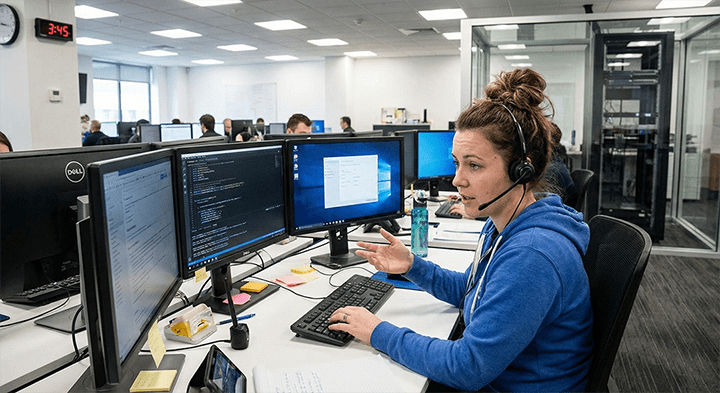
IT Support vs. Managed IT Services: The Strategic Difference
IT support is just one part of a bigger technology strategy. It’s easy to confuse “IT support” with “Managed IT Services,” but there’s a clear difference.
IT support focuses on the user and immediate problems. It handles day-to-day issues and employee needs. It’s about keeping things running.
Managed IT Services take a higher level approach. We use managed IT to monitor systems and plan improvements for the long term.
Think of IT support like a mechanic who fixes your car when it breaks down. Managed IT is like a fleet manager who keeps cars maintained so they rarely break down.
We use managed IT to keep systems stable over time. We add advanced protections and help plan your technology budget.
By working in tandem, IT support and managed IT services form a comprehensive technology infrastructure for an organization. IT support addresses immediate user needs and ensures day-to-day productivity, while managed IT focuses on maintaining long-term system stability and security.
This integration enables businesses to operate efficiently in the short term while also planning strategically for sustained technological reliability.
If you want a detailed breakdown of this strategic layer, you can reference What Are Managed IT Services for more detail.
Signs Your Business Needs Better IT Support
There are a few signs that your current IT support might not be meeting your needs. Common signs include:
- Employees regularly wait long periods for help.
- Frequent recurring issues never fully get resolved.
- Slow or unreliable devices.
- Confusion around software updates.
- Difficulty onboarding new employees.
- A backlog of support requests.
When these problems become routine, business leaders often realize they need better IT support. Reliable support not only fixes technical issues faster but also boosts morale by reducing daily frustrations.
Is IT Support Right for Your Business?
Any business that relies on technology needs some level of IT support. But organizations with growing teams or more complex systems often benefit the most.
Once a company has 10 to 15 employees, the number of support requests goes up. At this point, informal or part-time support is no longer enough.
If your business wants to stay stable, IT support gives you a reliable foundation. It lets your team focus on customer service and sales instead of dealing with technical problems.
It helps you grow your business without worrying if your technology can keep up. It also adds a layer of security to protect your client data.
Common Questions About IT Support (FAQ)
What does IT support service do?
An IT support service sets up and maintains computer systems and networks. We help users with technical problems and make sure hardware and software work properly. Our goal is to reduce downtime and keep your business running smoothly.
What is basic IT support?
Basic IT support covers a business’s essential needs. This includes resetting passwords, fixing common software errors, setting up user accounts, and helping with desktop or laptop problems.
What are the skills needed for IT support?
IT support professionals need both technical skills and people skills. They should be good at solving problems and know operating systems well. Good communication and patience are also important when helping users.
Is IT support a good job?
We see IT support as a great career with lots of growth potential. It lets you solve real world problems and work with new technology. It’s also a good starting point for jobs in cybersecurity or network administration.
The Role of IT Support in a Growing Business
IT support is essential for keeping business operations running smoothly. By helping employees and fixing issues quickly, IT support helps organizations avoid disruptions.
We believe businesses that invest in organized IT support have fewer problems. It creates a more efficient workplace where employees feel empowered.